Numérique
Exercise n°1: Screenshots
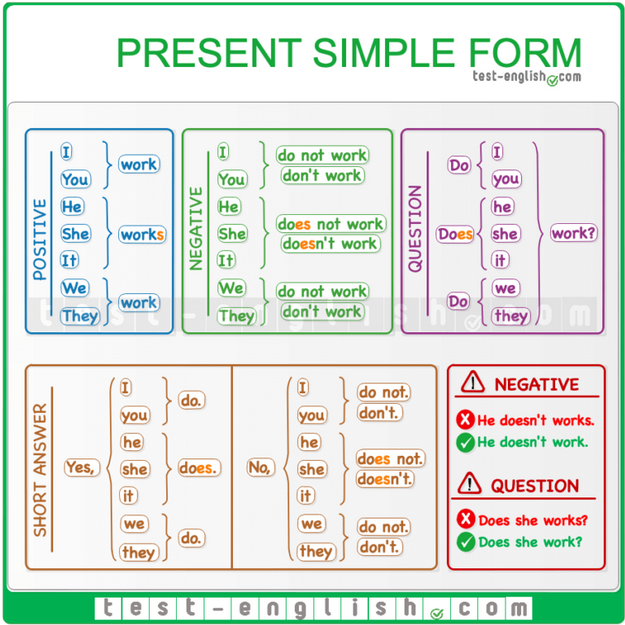
Once I found the grammar point, I simply pressed on the screen with two fingers on the touchpad and the option "capture d'écran" appeared. Then, I selected this button, preselected the part of the screen I wanted to screenshot and simply saved the image thanks to the "télécharger" button.
Exercise n°2: Generating AI images and modifying them

I used https://designer.microsoft.com to generate an image of a cat eating tiramisu. Once generated, I uploaded it to Canva.com and added the text, hearts, and pink shape in the corner.
Microsoft designer is easy to use. You only need to give the information of what you want in the search bar and wait for the image to appear. However, in order to use it you need to log in and you only have 15 free trials per month. The website can be used in a variety of other languages.
Canva is free to use but requires an account. It also comes in different languages other than English and the instructions are pretty easy to understand once you find how to import your image.
If I were to do this again I would use the same websites but I would rather search for existing images rather than creating one myself with AI.